A preview of the guide
California District AI Decision Guide
A step-by-step way for district leaders to decide how their schools will use AI, write those decisions down, and show where each one lives.
This page shows what the guide is and what a district gets from it. The guide itself is a private web app that district teams sign into, so everything you see below uses a sample district and sample data.
The problem
Everyone is asking what the plan is for AI.
Boards ask. Parents ask. Teachers are already using AI tools, and they want to know what is okay.
The guidance exists, but it is scattered. There are state laws, a state model policy, federal student privacy rules, and a lot of acronyms. Most leaders are not sure what to decide first, or who should own it.
So decisions get made in pieces. A tool gets approved without a privacy check. A policy gets drafted, but no one is named to carry it out. A teacher puts student information into the wrong tool. And when someone asks where it is all written down, no one can point to it.
What the guide does
It walks a leadership team through the decisions, in order.
There are five decision areas, 37 decisions in all.
Governance. Who makes AI decisions, and how community voices get included.
Policy. The six areas the statewide guidance covers, and how the CDE model policy fits in.
Professional development. Who needs which level of training, and how to know it is working.
Procurement. How to check AI tools for safety, privacy, and equity before approving them.
Curriculum and instruction. AI literacy in the classroom, and making sure every student has fair access.
Each area has plain-language explanations, an equity check, a short knowledge check, and a reflection question. Every decision comes with a sentence explaining what it actually means, written for a busy administrator who has never written an AI policy.
For each decision, the team records four things:
What it looks like
Here are the real screens.
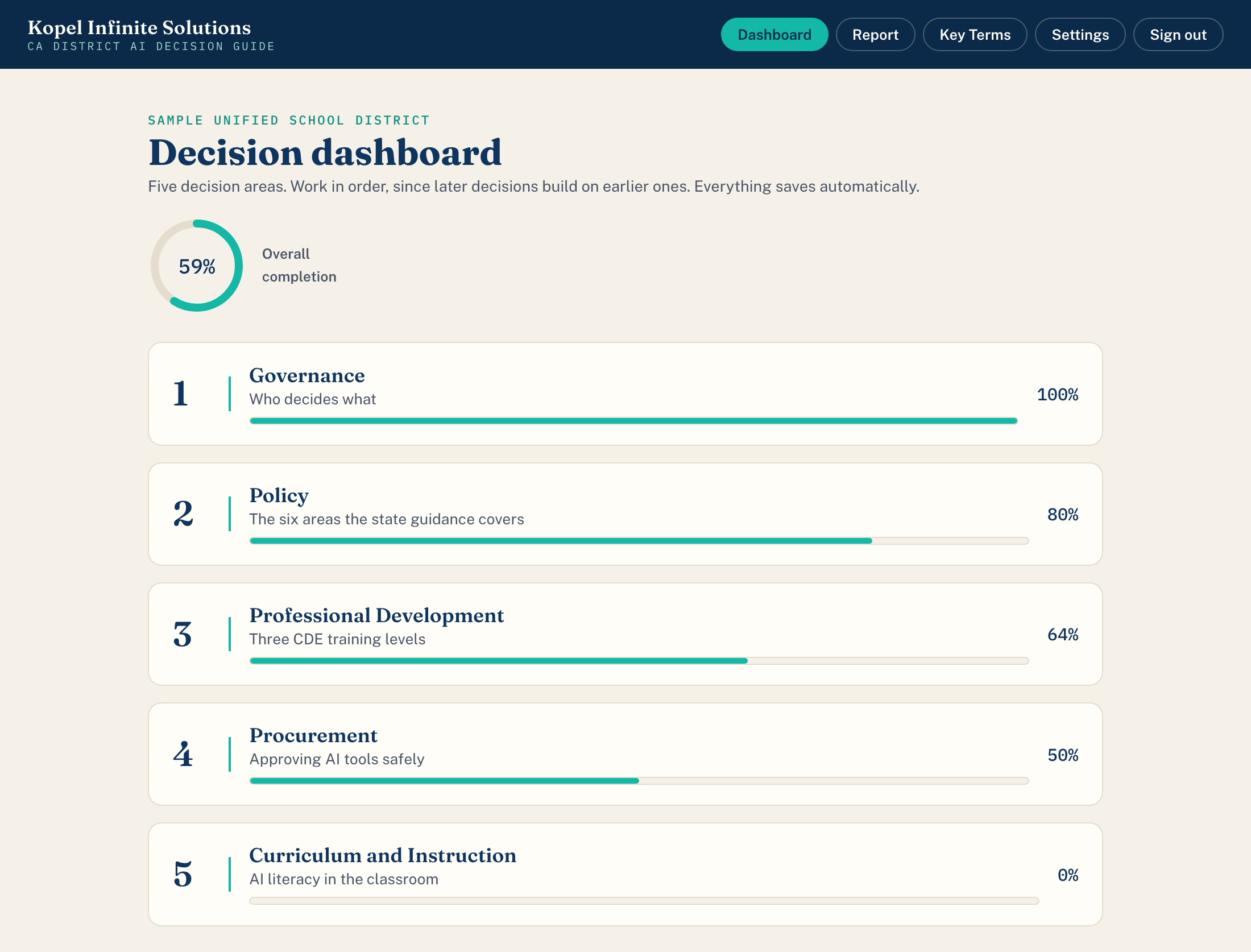
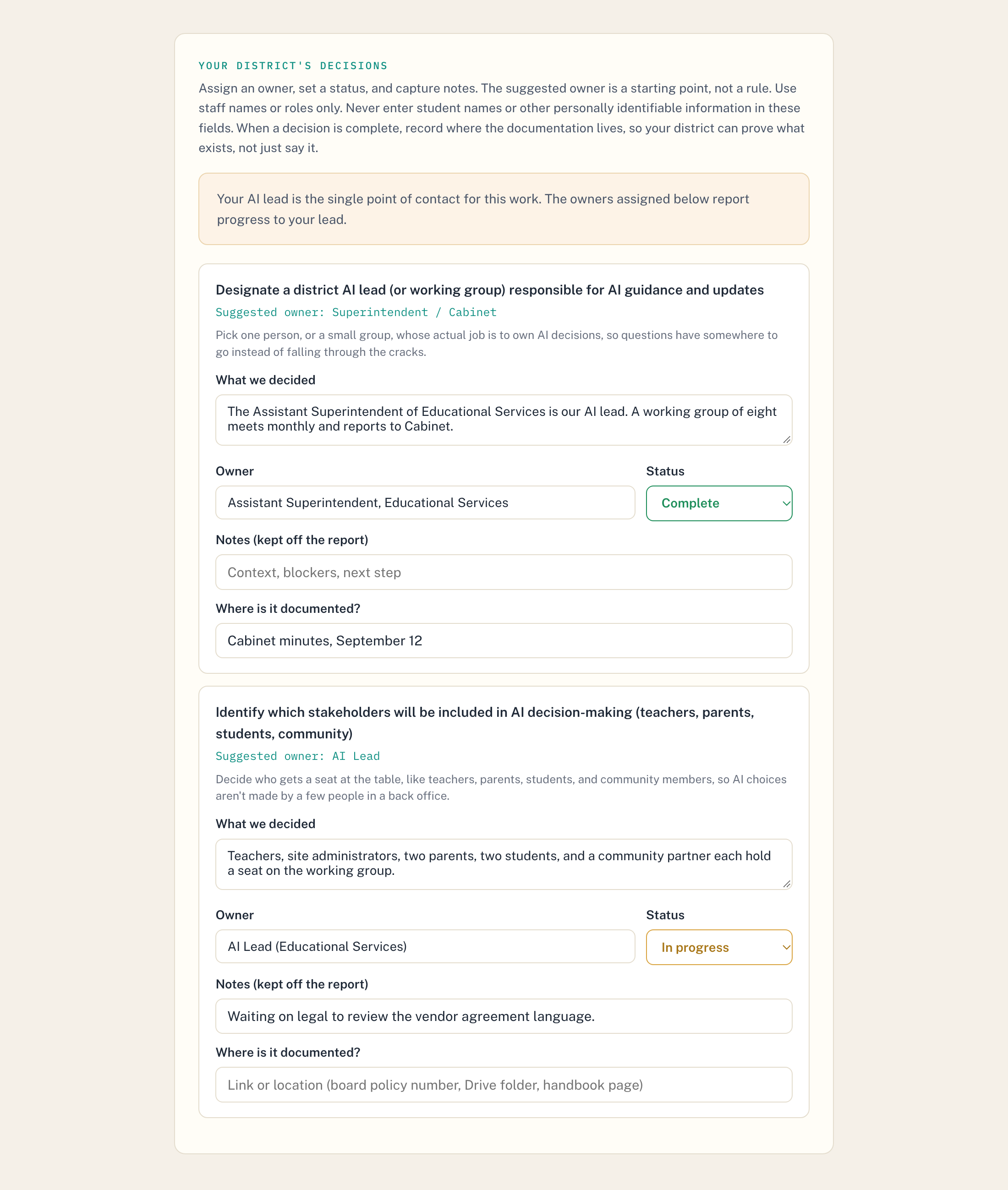
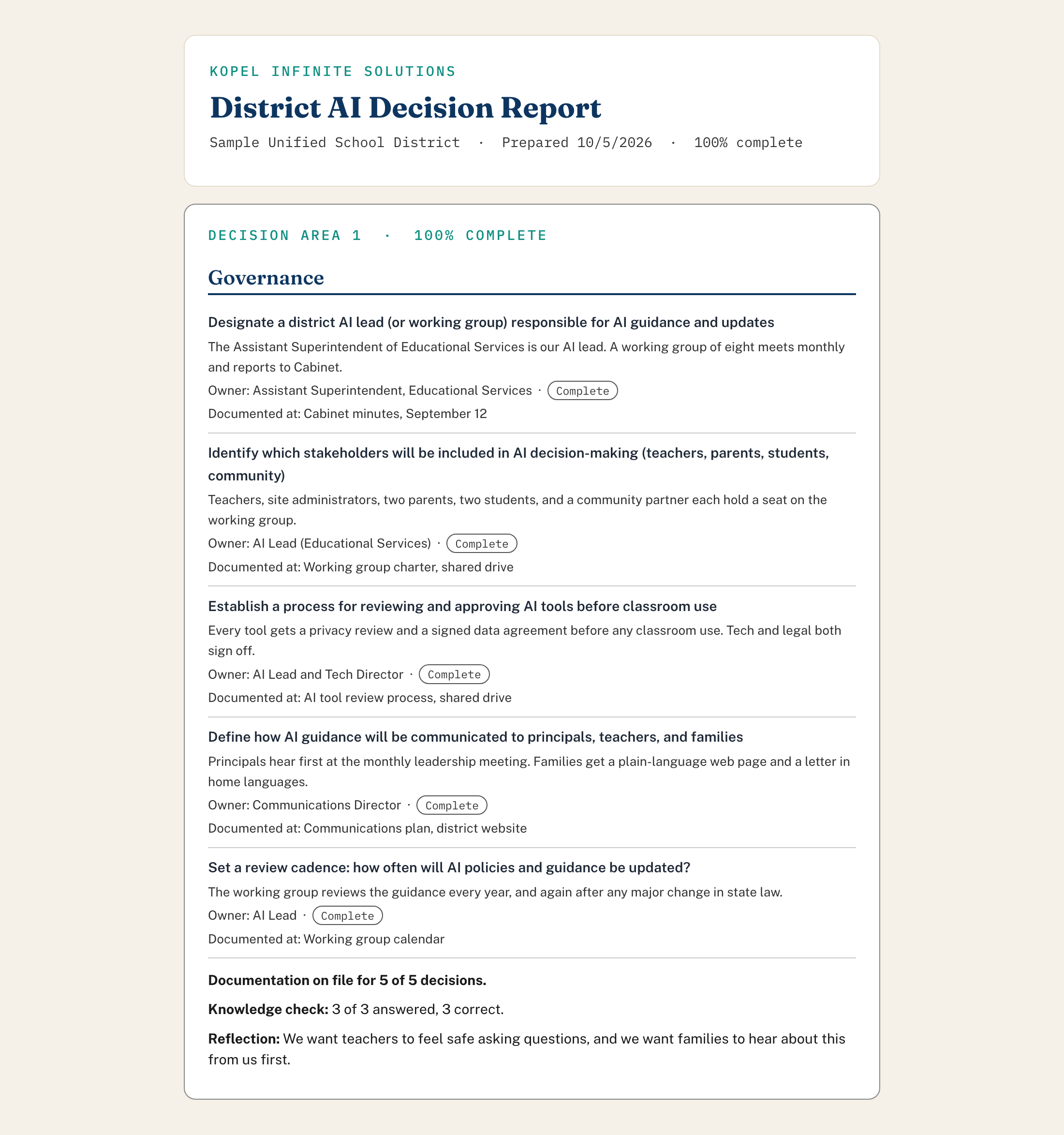
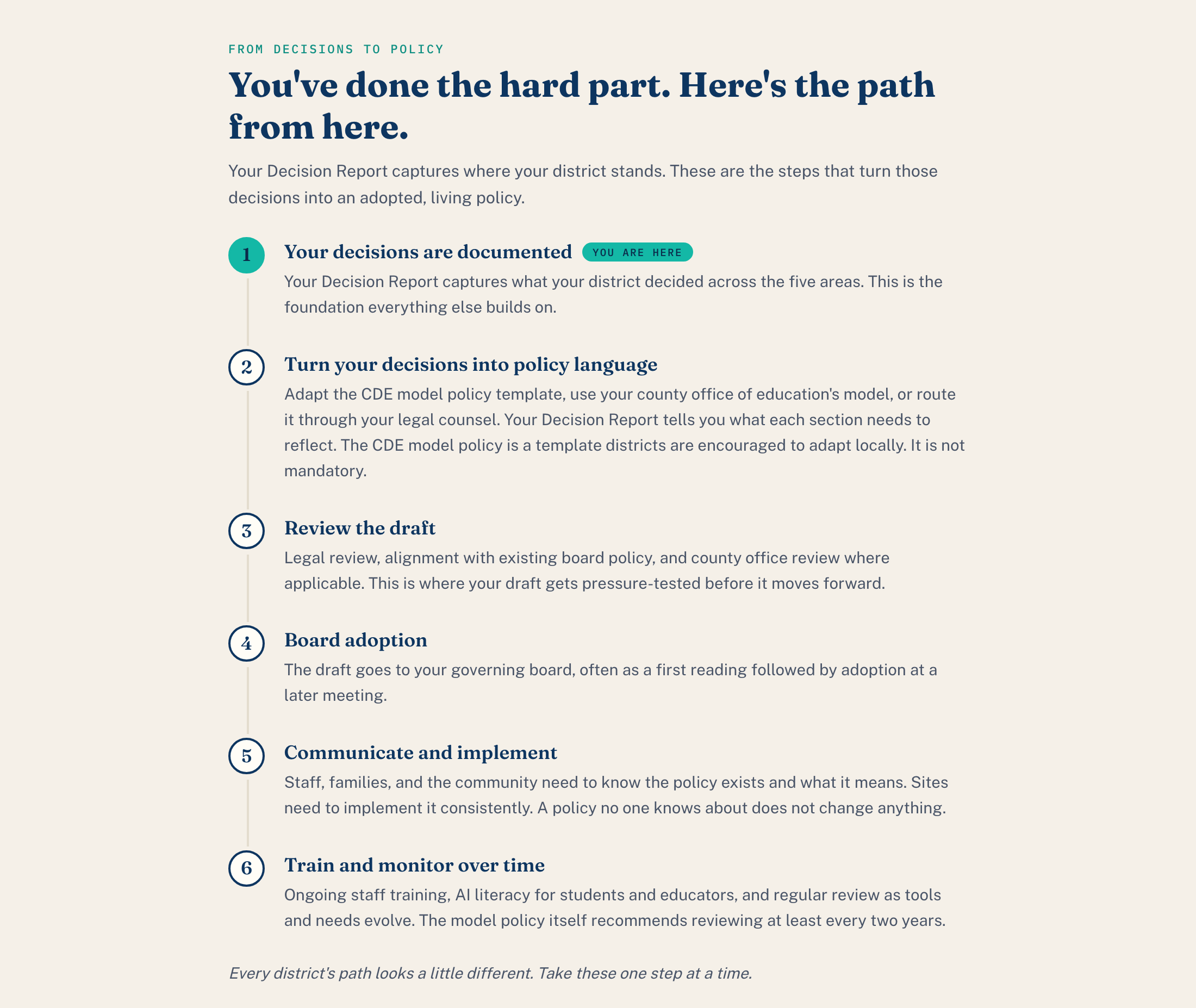
This is a sample district with sample data.
What a district walks away with
A clear record of its decisions.
- A clear, plain-language record of what the district decided in all five areas.
- A named owner for every decision.
- A pointer to where each decision is documented.
- A Decision Report the team can share with a board or the district's counsel.
- A clear path from decisions to an adopted policy.
What the guide is not. It is not a policy template, and it is not legal advice. It does not hand a district a finished policy.
California's statewide guidance and the CDE model policy are optional for districts. The guide helps a team decide what it will adopt, adapt, or decline. Then, when the team sits down with its counsel to write the policy, it already knows what it actually thinks.
Student privacy laws like FERPA are different. Those are real legal requirements, and the guide does not replace your district's counsel.
Built with care
The district stays in control.
- Each district chooses whether Kopel Infinite Solutions can see its responses, and it can change that choice at any time. If a district says no, its responses are locked, even from me.
- Private notes and reflections stay off the report.
- The guide reminds staff never to type student names or other personal information into any field.
Who built it
I'm Belynda Ray.
I taught in California classrooms for 20 years, 13 of them at Bret Harte Middle School in Hayward, where I chaired the math department. I have a Master's in Applied Mathematics. Today I help schools and districts use AI in ways that support human judgment instead of replacing it.
I built this guide because the leaders I work with kept asking the same thing: where do we even start? I built it with AI tools. I'm an educator, not an attorney. I read the state documents myself and check them against the original source before they go in.
Ready to bring this to your leadership team?
If you want to try something of mine right now, these two are free and open to anyone: